What's New
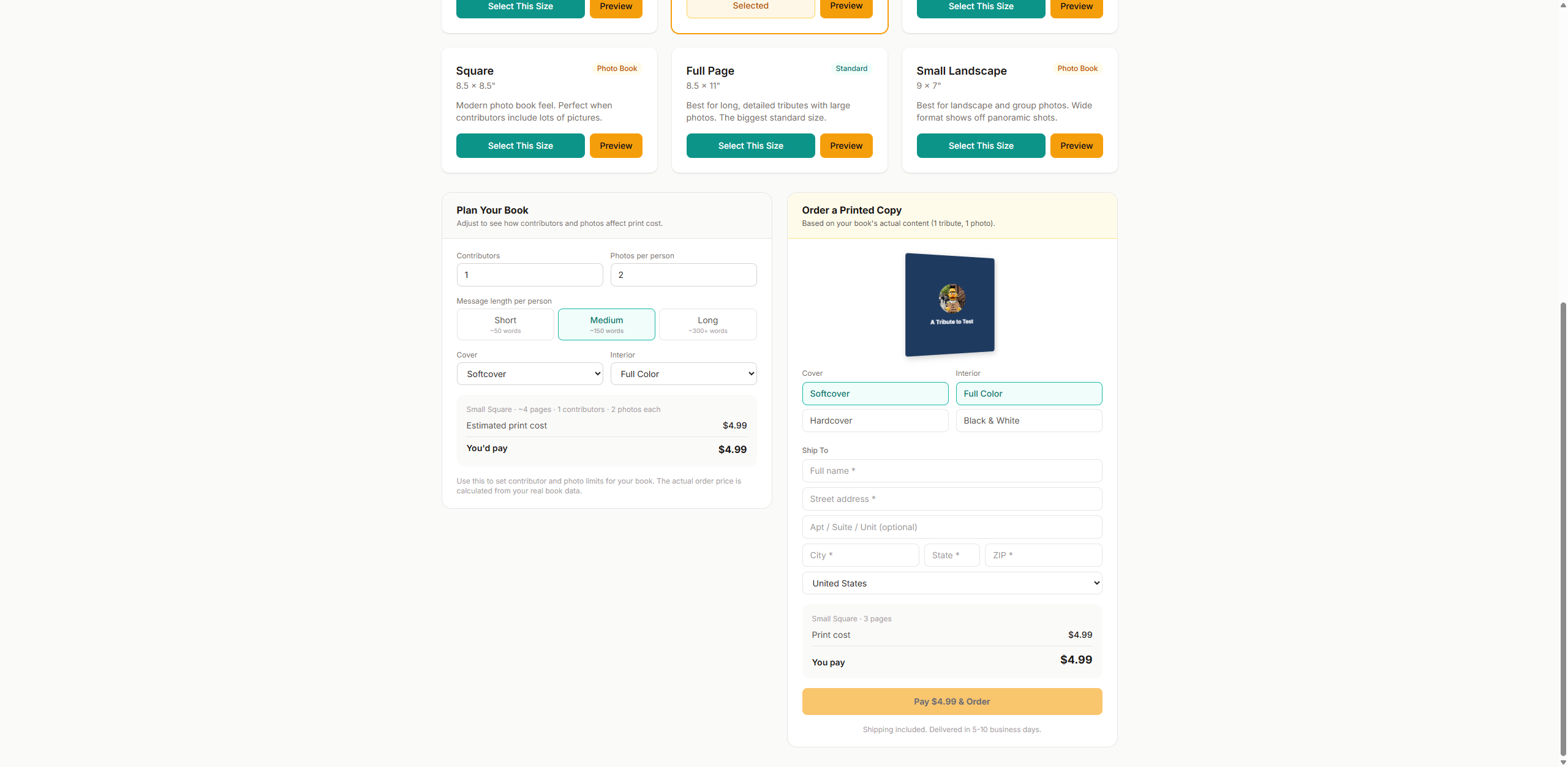
- + Shipping address collected on the order form
- + Shipping address included in your order notification email
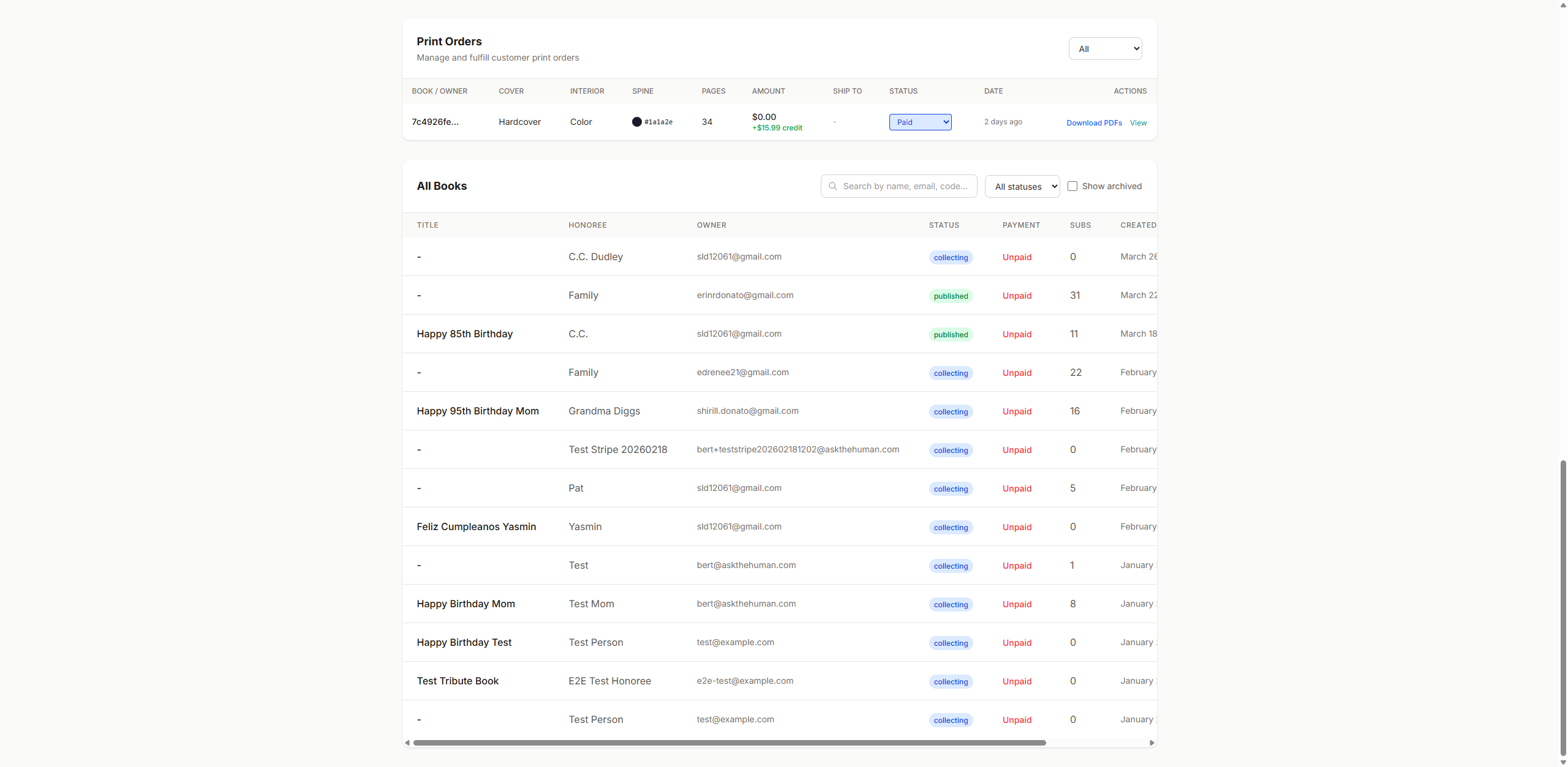
- + Shipping address visible on the admin orders table
- ! Fixed: PDF font embedding error (was crashing for some font choices)
- ! Fixed: Interior pages now pure white (eliminates ink coverage warning)
- + "Download PDFs" action on each paid order in admin
New Shipping Address on Orders
When a customer orders a printed copy, they now fill in their shipping address (name, street, city, state, ZIP, country). This address:
- Shows up in the order notification email you receive
- Appears in the "Ship To" column on your admin orders table
- Is stored with the order for when you fulfill it on Lulu
Fix PDF Font Embedding Error
You reported getting a font error when generating PDFs. We found two issues:
- Missing italic fonts: Several font choices were missing their italic variants. When the PDF tried to render italic text (contributor relationships, prompts), it crashed. All fonts now have italic variants.
- Fonts not embedded: The default font (Times-Roman) is a standard PDF font that isn't embedded in the file. Lulu requires all fonts to be embedded. We switched the default to Crimson Pro, which gets properly embedded.
Also changed interior page backgrounds from off-white to pure white to eliminate the "high ink coverage" warning from Lulu.
Admin Download PDFs for Lulu
When a customer places a print order, you can now generate the Lulu-ready PDFs directly from the order:
- Go to /admin → Print Orders section
- Find the paid order → click "Download PDFs" in the Actions column
- A modal opens with the book's details pre-loaded
- Pick binding type (softcover or hardcover)
- Click "Download Interior + Cover"
- Two files download automatically
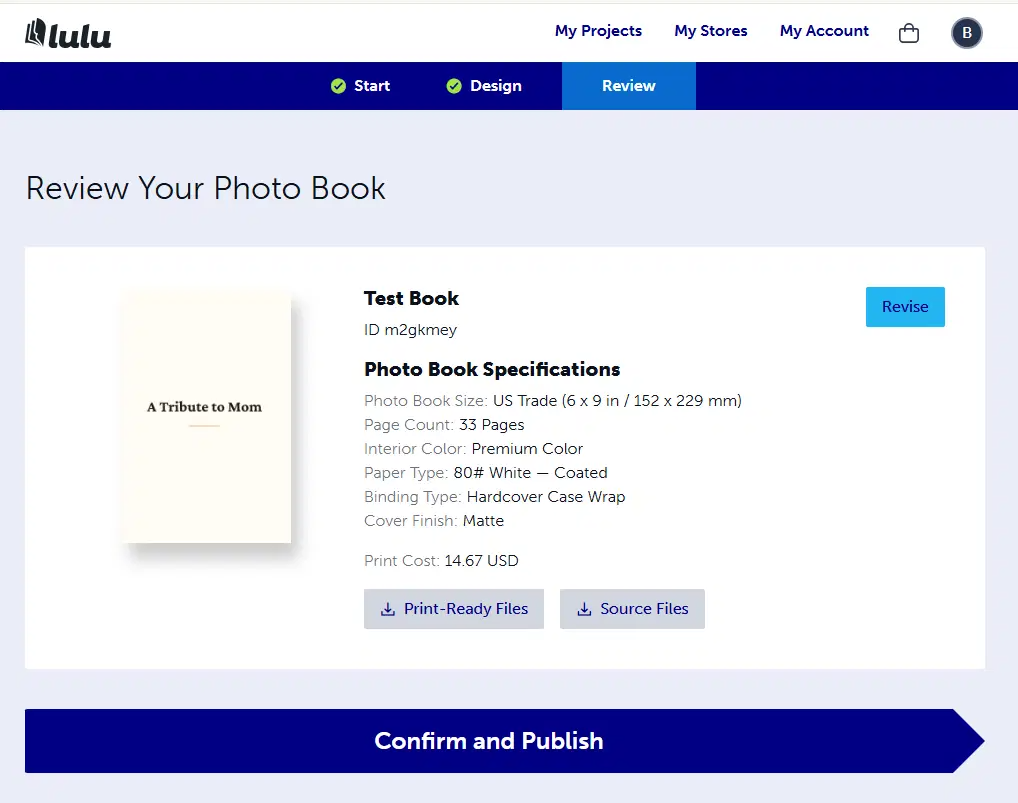
- Upload Interior to Lulu first, then Cover — dimensions match
Lulu Page Minimums
- Softcover (perfect bound): 32 pages minimum
- Hardcover (casewrap): 24 pages minimum
- The download tool checks the actual rendered page count and warns if below minimum
Your Questions Answered
Coil binding page limit: Lulu coil binding supports 2–470 pages. The 32-page number you mentioned is actually the minimum for perfect bound (softcover). We don't currently offer coil binding but can add it.
Blurb page limit: Blurb's minimum is 20 pages (photo books) or 24 pages (trade books). Max is 440 pages standard paper.
Order alerts: Already built! You get an email when orders come in. The email now also includes the shipping address.